Picking a Driving Assistance System isn't about who has the longest list of features. Honestly, it's more about finding something that fits your routes, your habits, and how comfortable you feel behind the wheel. What works great on a clear highway might behave totally differently on a rain-soaked street or when lane markings are faded. And those little things can make a big difference.
You know, there's this researcher at MIT – Bryan Reimer – who spends his time figuring out how drivers actually use all this car tech. And his work makes a pretty practical point: even with all those assistance features, you still gotta stay alert behind the wheel. The NHTSA puts it bluntly: 'Driver assistance technologies are not a substitute for safe driving.' So when you're shopping around and comparing lane-centering, adaptive cruise control, blind-spot alerts, or automatic emergency braking, keep that in mind. Sure, the names can sound pretty similar, but what they actually do and their limits? That's where the differences show up.
Don't just stare at the dashboard when you're checking out a car's driver-assist features. Really, look beyond the screen. How does the system clue you in that it's working? Is the warning clear or is it easy to miss? And what happens when the lane markings just vanish—does it give up gracefully or does it panic? Also, you've got to get behind the wheel and try those controls yourself, not just watch a slick demo. They might feel fine in the showroom but totally awkward on the road. Pull out the owner's manual—who reads those, right?—but compare the fine print with your daily drive. No system is perfect, and even the ones everyone raves about might bug you or just not fit your commute. That's worth asking about, don't you think?
Look, the right driving assistance system should actually make your life easier—not give you an excuse to zone out. So in this guide, we’ll walk you through what to compare, which questions to ask, and how to figure out if it’s really a good fit for the way you drive.
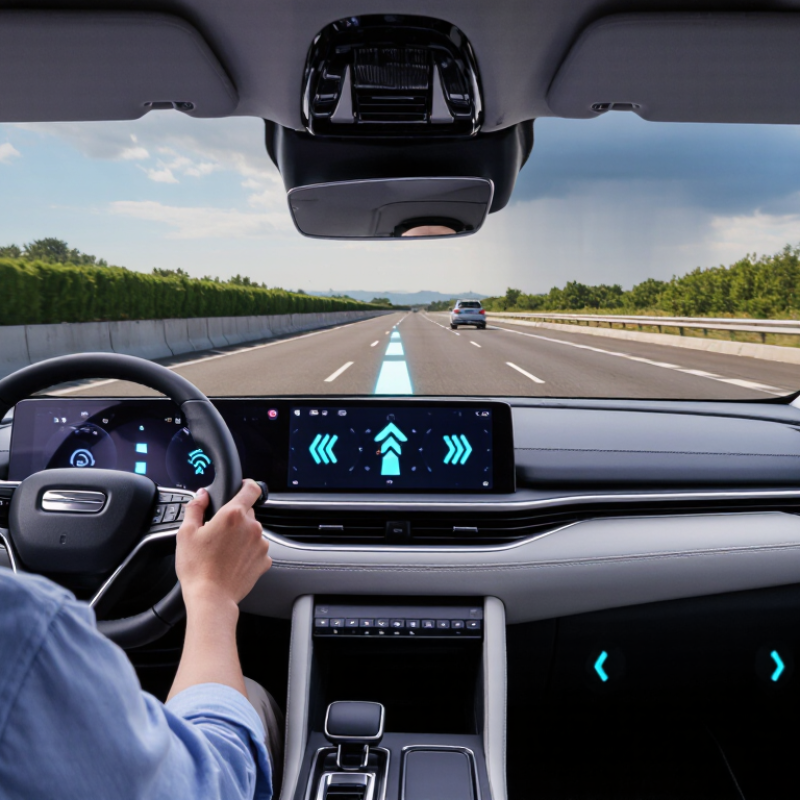
Understanding the Main Types of Driving Assistance Systems
Driving assistance systems are not one feature but a group of tools that support specific driving tasks. Some warn you about hazards; others can briefly adjust steering or speed. Their names and abilities vary, so check the vehicle manual rather than assuming two systems work alike.
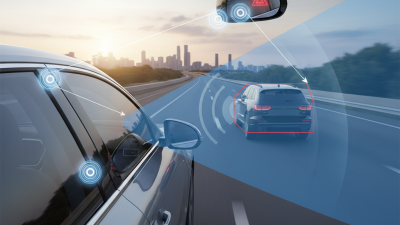
Forward collision warnings alert drivers to possible impacts, while automatic emergency braking may apply the brakes if a collision seems imminent. Lane-departure alerts warn when the vehicle drifts across visible markings; lane-centering assistance may make small steering corrections. Adaptive cruise control helps maintain a chosen gap from traffic, and blind-spot alerts flag vehicles beside you. These systems have limits. Rain, glare, worn lane lines, or blocked sensors can affect performance. A dashboard icon can feel reassuring, but it is not proof that the road is clear.
Tips: Try each feature in a safe, familiar setting, and learn how its alerts sound or appear. Keep your eyes on the road and hands ready to steer. Treat assistance as backup, not a substitute for attention. It is easy to trust a system too much, especially on a quiet highway; that habit deserves regular self-checking.
How to Choose the Best Driving Assistance System
Understanding the Main Types of Driving Assistance Systems
How to read this chart: The numbers identify the SAE driving automation levels; they are categories, not scores of system quality. Levels 1 and 2 assist while the driver remains responsible for monitoring the driving environment. At Level 3, the system performs the driving task under specified conditions but may ask the driver to take over. Levels 4 and 5 describe systems that can perform the task without driver intervention within their operating conditions (Level 4) or across the conditions a human driver could manage (Level 5).
Assessing Your Driving Needs and Conditions
Start with the drives you actually make, not the features that sound impressive. A daily commute on marked highways creates different needs from frequent travel on narrow, winding roads. Consider where you drive, how often traffic stops suddenly, and whether you regularly park in tight spaces. Night glare matters. Rain, faded lane markings, and construction zones can also affect how well assistance features work. Be honest about your habits: if you often change routes or drive in unfamiliar areas, clear alerts may matter more than automated convenience. An OEM Driving Assistance System can offer features suited to a particular vehicle, but its capabilities vary by model and configuration.
Then assess your comfort with alerts and intervention. Some drivers appreciate a steering vibration when drifting; others find repeated warnings distracting. Check which functions can be adjusted, and whether they remain available in poor weather or on roads with weak markings. Read the vehicle manual for operating limits, not just the feature list. If possible, test the system in a quiet, familiar area and notice how it responds to curves, stopped vehicles, and lane lines. An alert is not a substitute for looking around. It is easy to trust assistance too quickly, especially on a familiar route; that habit deserves a second thought.
Comparing Available Safety and Convenience Features
A driving assistance system is only useful when its features fit your routes and habits. Compare what each feature does, not just how many appear on a specification sheet. Automatic emergency braking may warn you or apply the brakes when a collision risk is detected, but it cannot replace attentive driving. Check whether the system also detects pedestrians and cyclists, and review its operating limits.
Convenience features deserve a separate look. Adaptive cruise control can reduce effort on long highway trips, while lane-centering support may help on clearly marked roads. Blind-spot alertsare useful when traffic fills the next lane, and Parking Cameras can make tight spaces easier to judge. That matters. However, alerts differ in timing and volume, and frequent beeps can become distracting. Ask whether settings are easy to adjust without searching through complicated menus.
Try the features in ordinary conditions. On a test drive, note how the car responds when lane markings fade, traffic slows, or a vehicle enters your blind spot. Some systems work less reliably in heavy rain, glare, or road construction. I would not choose based on a single smooth demonstration; real roads are messier. Check the owner’s manual for limitations, then consider which aids you would actually keep switched on. A feature that feels intrusive may be less helpful than a simpler system you understand.
Checking Vehicle Compatibility and System Integration
A dependable driving assistance system must match the vehicle, not just the feature list. Check whether its cameras and radar can be mounted securely, and whether the vehicle’s electrical system supports them. A camera placed behind the windshield may need a clear view through the glass. Tinted areas, unusual windshield shapes, or nearby sensors can interfere. Ask how installation affects existing safety features, and whether calibration is required after fitting. Get that in writing.
Vehicle age makes compatibility more than a technical detail. S&P Global Mobility reported that the average age of U.S. light vehicles reached 12.6 years in 2024. Many vehicles on the road therefore have different wiring, sensors, and onboard software. That gap is real. For a Wholesale Driving Assistance System, request a compatibility list by vehicle year, make, and model, plus details about supported functions and known limitations. IIHS research found that forward collision warning paired with automatic braking was associated with 50% fewer rear-end crashes. That result does not mean every system performs equally, or works with every vehicle. Verify the system’s testing conditions, update process, and post-installation checks. A careful review can still miss something; vehicle documentation and a qualified installer matter.
Evaluating Ease of Use, Reliability, and Driver Control
Choosing a driving assistance system starts with the moments you use it: merging into traffic, following a car on a wet road, or correcting a slow lane drift. Controls should be easy to find without taking your eyes off the road. Warning sounds should be clear, not startling. Try the system in familiar conditions before relying on it. Small details count.
Reliability means predictable behavior, not a promise that the system will handle every situation. The Insurance Institute for Highway Safety reports that front crash prevention reduces rear-end crashes by about half, but performance can vary with road markings, weather, and visibility. Check what sensors the system uses and how it signals limits. The AAA Foundation’s 2023 Traffic Safety Culture Index found that 68% of U.S. drivers were afraid of self-driving vehicles, while 9% trusted them. That gap makes clear explanations and driver control important. An ODM Driving Assistance System should let the driver override assistance smoothly and understand when intervention is needed. Test that handoff. I still find alerts distracting when several arrive together; that is worth judging in a real drive, not just on a feature list.
Considering Costs, Updates, and Data Privacy
How to Choose the Best Driving Assistance System
Considering Costs, Updates, and Data Privacy
A useful driving assistance system should fit both your car and your budget. Look beyond the purchase price. Installation, subscriptions, sensor replacement, and repairs can add up over several years. Ask what happens if a camera needs recalibration after a windshield change. That small detail can affect both cost and convenience. A cheaper option may not stay cheaper.
Check how updates arrive and what they change. Some systems need a stable connection or a service visit; others update automatically. Read the release notes, and make sure you can find support if an update causes problems. Privacy deserves the same attention. Find out what driving data is collected, how long it is stored, and whether you can delete it or limit sharing. Settings may be confusing. That is worth questioning.
Tips: Compare total costs over three years, not just the sticker price. Before buying, ask for a plain-language explanation of data controls. Test the alerts in a quiet, familiar setting, and keep your attention on the road. No system is perfect; I would not assume its advertised features will work equally well in every car or condition.
Testing Systems and Making a Practical Choice
Testing Systems and Making a Practical Choice
A useful test begins on a familiar road, not a showroom demo. Try lane centering on a clearly marked stretch, then observe how it responds to faded lines, a gentle curve, and a vehicle braking ahead. AAA’s 2023 closed-course study found an issue roughly every eight miles across the systems tested. That is a reminder to watch closely, not assume the feature will handle every situation. IIHS’s 2024 evaluation of 14 partial-automation systems rated only one acceptable, highlighting how much performance and Driver Monitoring can vary.
Check whether alerts are easy to notice, and whether the system disengages predictably. Test in daylight and, if safe, in light rain. Keep your hands ready; assistance features support the driver, not replace attention. I once trusted a smooth lane correction too quickly. That was a poor assumption. A Driving Assistance System Supplier should be able to explain the system’s limits, test conditions, and update process in plain language. Ask for evidence, not just a feature list.
Tips: Before choosing, try the same short route with each system. Note missed lane markings, abrupt braking, and confusing alerts. Read the owner’s manual, then repeat the test after an update. Small details matter.
A Smarter View of Every Angle: Exploring the 4-Image Camera Monitoring System
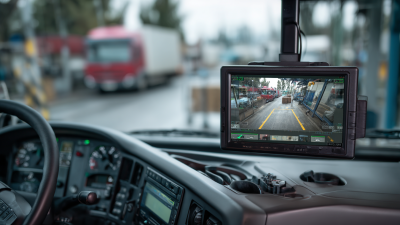
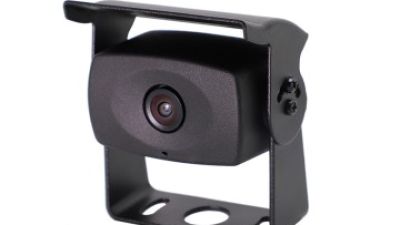
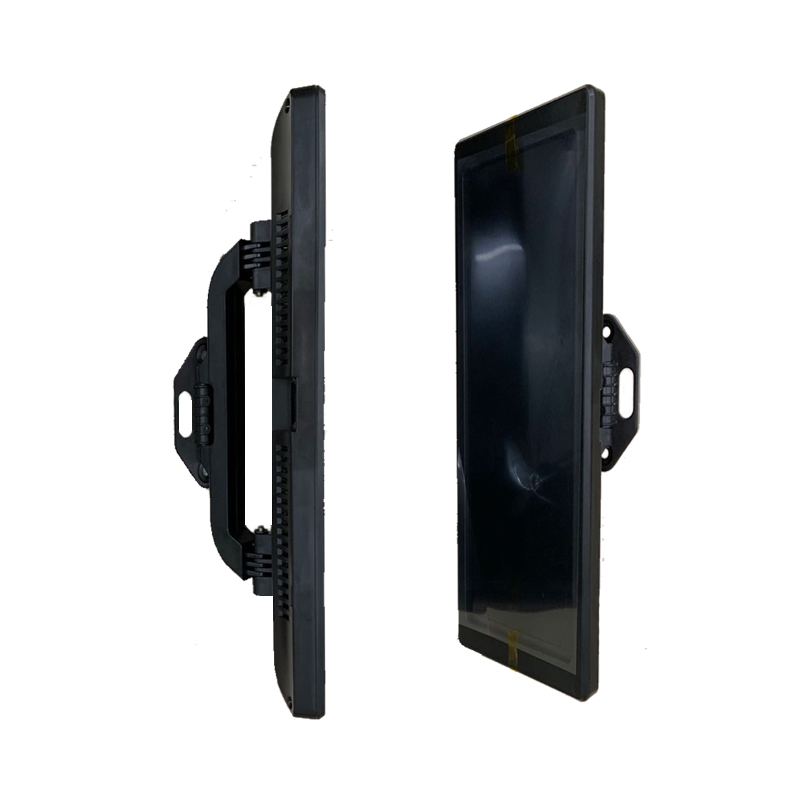
A smarter view of every angle begins with bringing the camera feeds together where drivers can use them. The Insurance Institute for Highway Safety (IIHS), in an analysis of insurance claims, found that rearview cameras were associated with a 16% lower rate of backing crashes; vehicles equipped with both cameras and parking sensors had a 42% lower rate. These findings highlight the value of clear visual information during low-speed maneuvers, while not guaranteeing that any camera system can prevent every collision. A quad-image monitoring system uses four cameras and a display terminal to show and store four video inputs, giving drivers a broader view around the vehicle.
Split-screen viewing lets drivers monitor multiple angles at once, while switching the displayed video in response to steering and reversing signals can make relevant views easier to access during turns or while backing up. The system uses an embedded processor and operating system, alongside H.264 video compression and decompression, to support video handling and recording. Its simple design, high-temperature tolerance, and vibration resistance are intended for demanding vehicle environments, while stable operation helps make the display a practical aid for everyday maneuvering.
FAQS
They support specific tasks. Some warn about hazards; others briefly adjust steering or speed.
A warning alerts you to a possible impact. Automatic braking may slow the car when a collision seems imminent. Stay attentive.
Lane-departure alerts warn when you cross visible markings. Lane-centering may make small steering corrections, but you should remain ready to steer.
Rain, glare, worn lane lines, blocked sensors, and road construction can affect performance. A dashboard icon does not prove the road is clear.
Adaptive cruise control can reduce effort on long trips. Blind-spot alerts help in busy lanes, while parking cameras can clarify tight spaces. Useful details.
Notice how alerts sound and how the car responds when traffic slows or lane markings fade. Try familiar roads. One smooth drive is not enough.
Check installation, subscriptions, repairs, and sensor replacement. Ask whether a windshield change requires camera recalibration. Small costs can add up.
Ask how updates arrive and what they change. Find out what driving data is collected, how long it stays stored, and whether you can limit sharing. The settings may confuse you, too.
Conclusion
Choosing the best Driving Assistance System begins with understanding the different types available and identifying when and where you drive most often. Consider your usual routes, traffic, weather, and comfort level, then compare systems by the safety and convenience features they offer. A useful choice should suit your real needs rather than simply include the greatest number of features.
Before deciding, check that the system works with your vehicle and integrates smoothly with its controls. Evaluate how easy it is to understand, how reliably it performs, and whether you remain in control as the driver. Also consider the purchase and maintenance costs, how updates are provided, and what data the system collects. Whenever possible, try the system in realistic conditions to see whether its alerts and controls feel clear and helpful. A practical choice balances usefulness, reliability, compatibility, privacy, and cost.

 Front & Rear Parking Assist
 Automatic Parking Assist
 Wade Sensor System
 79GHz Kick Step-on Open System
 79GHz Door Open Warning System
 77GHz Blind Spot Detection
 77GHz Long Range Detection
 60GHz Child Presence Detection
 360 Panoramic Camera
 Driver Fatigue Monitoring System
 Dash Camera
 ADAS Camera
 Streaming Rearview Mirror
 Self Cleaning Camera
 Car Radio
 Infotainment System
 Wireless Charger
 Ultrasonic Sensors System
 4-Image Camera Monitoring System
 Driver Fatigue Monitoring System
 77GHz Blind Spot Detection
 ADAS Camera
 Camera Monitoring System