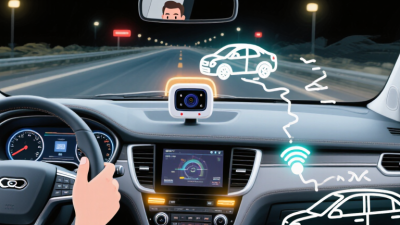
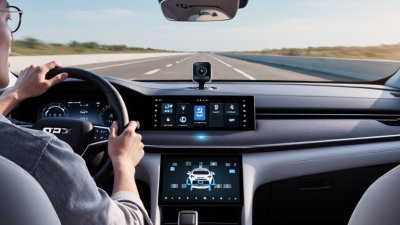
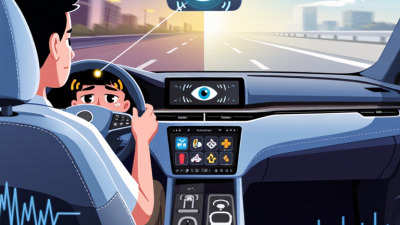
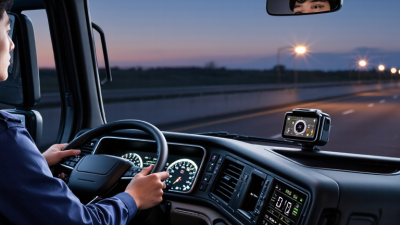
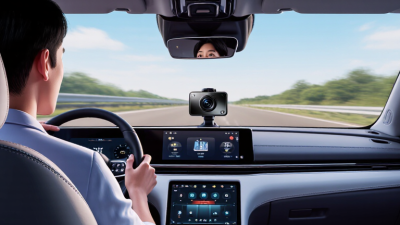
You know how a driver can look totally alert even when they're fighting to stay awake? It's scary—your lane position stays steady for ages, then suddenly drifts within seconds, especially after a long night shift. That's where Driver Fatigue Monitoring systems come in. They help fleet teams catch those subtle signs—like prolonged eye closure, repeated yawning, or attention drifting away. Now, these systems aren't magic; they don't replace rest breaks or good safety practices. But they give you another set of eyes, another source of info to keep everyone safer.
When you’re looking for a fatigue monitoring system, it’s really easy to get carried away by the demo. But the real test? That’s out on the road. You’ve gotta dig into the nitty-gritty. For starters, how does it actually detect fatigue, and how fast does it react? Does the camera still work when it’s dark outside? And here’s a big one—what happens if your driver wears glasses? Or when the truck’s shaking? Sometimes these systems ping alerts so often they end up being more of a distraction than a help. That’s the last thing you want. Then there’s the practical side: how messy is the installation? Will it play nice with the fleet tools you already use? And can you get the data you need without jumping through hoops? Honestly, the details matter way more than a slick sales pitch. A tiny difference in how a system behaves can mean a huge difference in your daily operations. Trust me—it’s worth checking all this before you commit.
Let's face it, no system is perfect. Detection accuracy can really depend on stuff like lighting, how the driver behaves, even the vehicle setup – so don't just take trial results at face value; dig deeper. Look at things like alert accuracy, ease of use, support, and overall costs before you commit. And after testing, definitely get input from drivers – they might catch issues that a spec sheet won't show. Choosing carefully can help catch fatigue earlier, but it's not a magic bullet – it won't catch every single time. Keep that in mind.
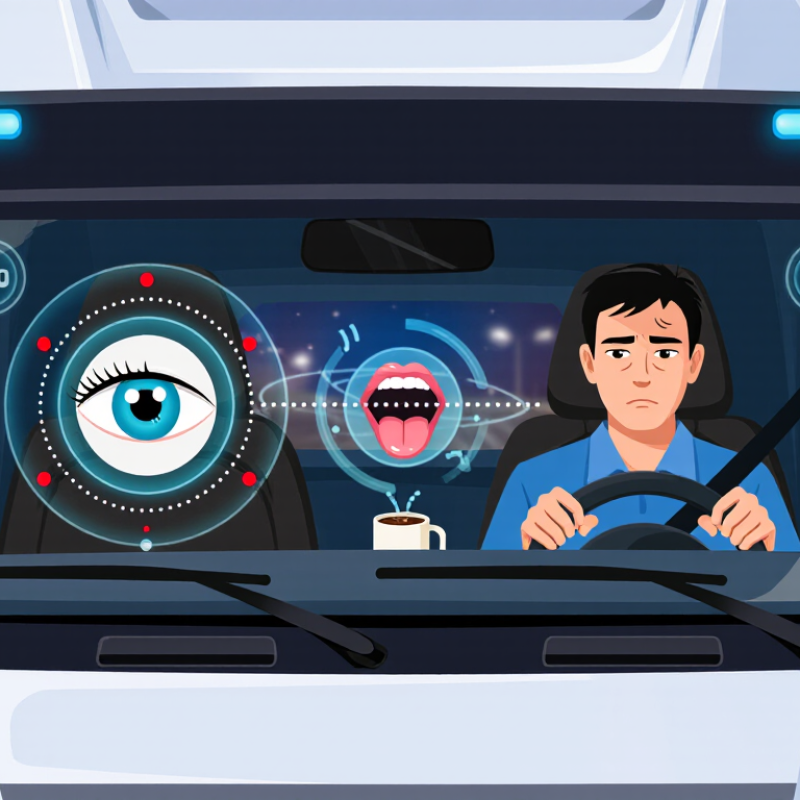
Understanding a driver fatigue monitoring system starts with its inputs. A cabin camera may track eyelid closure, gaze direction, and head position. Other systems infer fatigue from steering corrections, lane movement, or driving time. These signals are estimates, not diagnoses. No system reads intent perfectly.
NHTSA reported 684 deaths in crashes involving drowsy drivers in 2021, while noting that fatigue-related crashes are difficult to identify and may be undercounted. This data underscores why monitoring should support, not replace, safe rest and attentive driving.
A useful system detects patterns early, gives clear alerts, and avoids distracting false alarms. Check how it performs at night, with sunglasses, and on rough roads. Also review what data it stores, who can access it, and whether alerts are easy to understand. A dashboard warning that arrives late is not much help.
Tips: Test alerts in a parked vehicle before regular use. Confirm the camera has a clear view of the driver’s face. Compare alerts with real driving conditions, and record recurring false alarms. If fatigue appears, stop somewhere safe and rest; monitoring cannot restore alertness.
A fatigue monitoring system should fit the fleet’s work, not just its dashboard. Start by mapping routes, shift lengths, stop patterns, and typical driver changes. A regional delivery van returning to the depot nightly has different needs from a long-haul truck crossing remote areas. Note where glare, vibration, cabin temperature, and frequent entry or exit could affect sensor performance. Small details matter.
Before comparing systems, list vehicle types, model years, cab layouts, and available power or network connections. Check whether drivers share vehicles, wear glasses, use caps, or sit at varied distances from the camera. These factors can affect installation and alerts. Ask how the device behaves when connectivity drops, a camera is blocked, or a vehicle starts in low light. A clear fallback matters. Decide who reviews alerts, how quickly they can respond, and what records the operation actually needs. A system may look capable in a demo, yet feel intrusive during a crowded night shift. Test it on representative vehicles before fleet-wide rollout, then revisit assumptions after real use.
Tips: Pilot a few vehicles across different routes and shifts. Record false alerts, missed events, installation time, and driver feedback. Not every concern will be solved on day one. Use results to adjust camera placement, alert thresholds, and training before expanding.
Camera-based systems estimate fatigue from prolonged eye closure, blink patterns, gaze direction, and a drooping head. They observe the driver directly, but sunglasses, night glare, and a turned face can weaken detection. Steering and lane-position systems instead flag drifting or erratic corrections. These cues can appear late, and winding roads may trigger false alerts. Physiological sensors, such as wearable heart-rate monitors, can detect changes in the body, but drivers may not wear them consistently. Signals can disagree. Compare how each system handles poor lighting, vibration, and ordinary head movements—not just clear test footage.
Alert design matters as much as detection. The National Highway Traffic Safety Administration reported 693 deaths in drowsy-driving crashes in 2022, while warning that such crashes are likely underreported. A brief chime may be missed in a noisy cab; a seat or steering-wheel vibration can be more noticeable, but may startle a driver. Prefer staged alerts that begin clearly and intensify only when risk persists. An OEM Driver Fatigue Monitoring System should also explain why it alerted, so operators can distinguish fatigue from a sensor obstruction. Test alerts during real shifts. Review false alarms, missed events, and driver feedback; these measures are imperfect, but they expose weaknesses that a feature list can hide.
A fatigue monitor should be tested beyond a quiet, well-lit demonstration. Ask how it performs at night, on rough roads, and when drivers wear glasses or turn their heads. Check whether it detects sustained eyelid closure, not just a brief glance away. False alarms matter too: frequent alerts can train drivers to ignore them. No system is perfect.
The scale of under-detection deserves attention. The AAA Foundation for Traffic Safety estimated that drowsy driving was involved in 9.5% of U.S. crashes from 2010 to 2013, far above the share identified in police reports. NHTSA recorded 693 deaths in crashes involving drowsy drivers in 2022, while noting that fatigue is difficult to measure and likely underreported. These figures support careful evaluation, not claims that one device can prevent every fatigue-related crash.
For a Wholesale Driver Fatigue Monitoring System, request test results across different drivers, cabin lighting, road vibration, and shift conditions. Look for documented detection rates, missed-event rates, alert latency, and evidence from real-world trials. Ask how the system handles camera obstruction and whether drivers can understand its alerts quickly. A tidy dashboard score can hide uneven performance. I would also review the failure logs; they may reveal weaknesses that a polished demo misses.
A driver fatigue monitoring system is only useful if it fits the way a fleet already works. Check whether it can connect with existing cameras, vehicle data, and dispatch tools. Ask what happens when a connection drops in a tunnel or a sensor is covered by dust. A dashboard alert is not enough. Supervisors need clear steps for reviewing warnings, contacting drivers, and recording follow-up without creating extra paperwork.
Privacy deserves equal attention. Find out what the system records, how long it keeps footage, and who can view it. A brief in-cab alert may solve a problem without storing a driver’s face or every trip. Explain these settings to drivers before installation; surprises can damage trust. Not every alert is accurate. Sunglasses, glare, or a bumpy road may trigger a warning, so review false alarms during a real pilot.
Regulatory needs vary by location and fleet operation, and requirements can change. Ask the supplier for current documentation on data handling, retention, and system performance, then have your compliance or privacy lead check it. Keep records of the review. A small trial with several routes can reveal gaps that a sales demonstration misses. It may feel slower, but rushing deployment is often harder to fix.
The purchase price is only one line in the budget. Ask for installation, recurring fees, connectivity, calibration, and replacement costs in writing. For an ODM Driver Fatigue Monitoring System, clarify what is included and what requires a separate contract. A low initial quote can look different after three years.
Support matters when a camera shifts after a windshield repair or alerts increase on a familiar route. Ask who responds, during which hours, and how quickly; request a sample service report. That matters. Check how software updates are handled and what operational data is stored. A salesperson’s promise is not a support plan.
Run a trial with the vehicles and shifts you actually use. Include a dark early-morning run, a bright afternoon, and ordinary cab vibration. Track missed alerts, unnecessary alerts, driver feedback, and time spent resolving issues. Keep notes by vehicle and route. Ask drivers what interrupted their work. Small details count. A short trial can still mislead if it covers only one route; extend it when results vary, and document why.
Making the final choice is less about the longest feature list and more about fit with real driving conditions. Check how the system detects fatigue, when it alerts, and whether drivers can understand its warnings. Ask for test results from day and night use, including glare, sunglasses, road vibration, and different seating positions. Small details matter. A warning that is hard to hear over cabin noise may be missed.
Compare installation needs, data access, maintenance, and support before approving a purchase. For OEM Driver Fatigue Monitoring, confirm how the system integrates with the vehicle’s displays and existing safety functions. Request a hands-on trial across several routes and shifts. Record false alerts, missed detections, and driver feedback. A tidy demonstration is not enough. No scorecard is perfect, and a short pilot may not reveal every edge case.
Review what information is stored, who can access it, and how long it is retained. Get clear answers in writing, then assign someone to check performance after deployment. Consider the total cost of sensors, calibration, software, and service—not only the initial quote. If drivers find alerts distracting or unclear, revisit the settings and training. That can be an awkward finding, but ignoring it helps nobody.
Illustrative decision matrix: Compare system approaches against your operating requirements. Scores are planning estimates, not results from a standardized product test; validate them with a pilot using your vehicles, routes, workforce, and privacy requirements.
| Selection criterion | Weight | In-cab camera monitoring | Wearable physiological monitoring | Telematics-only risk analytics | Camera plus telematics |
|---|---|---|---|---|---|
| Direct fatigue indicators | 25% | 5/5 Can monitor visual cues such as prolonged eye closure, gaze, or head position; performance depends on camera placement and conditions. | 4/5 Can track selected physiological signals, but signals may be affected by fit, movement, and individual variation. | 2/5 Driving patterns can indicate risk but do not directly measure a driver's fatigue. | 5/5 Combines in-cab cues with vehicle and trip context; camera performance still depends on installation and conditions. |
| Timely in-vehicle alerts | 20% | 5/5 Designed to provide alerts while a potential fatigue event is occurring. | 4/5 May alert in real time when a compatible sensor, connection, and alert workflow are available. | 3/5 Can identify risky patterns, but some analytics rely on trip or post-trip data rather than immediate detection. | 5/5 Can pair in-cab alerts with fleet-level event review, subject to system configuration. |
| Driver coverage and ease of use | 15% | 4/5 Once installed, generally requires no wearable to be put on for each shift. | 2/5 Requires drivers to wear, charge, maintain, and consistently use the device. | 5/5 Uses vehicle data and typically does not require a driver-worn sensor. | 4/5 Usually avoids wearables, but involves more equipment and configuration than a single approach. |
| Privacy and driver acceptance | 10% | 3/5 Cabin video can raise privacy concerns; explain what is captured, stored, accessed, and retained. | 2/5 Personal physiological data may be sensitive and needs clear access and retention controls. | 5/5 Can avoid cabin imagery and physiological measurements, though location and driving data still require governance. | 3/5 Combines multiple data sources, so transparent policies and access controls are especially important. |
| Fleet-system integration | 10% | 4/5 Can support event reporting and fleet workflows when compatible interfaces are available. | 3/5 Integration may involve wearable, mobile, and fleet data connections. | 5/5 Often aligns with existing vehicle or telematics data workflows, depending on fleet infrastructure. | 5/5 Can provide a broader event picture, but confirm that data sources can be linked reliably. |
| Deployment effort | 10% | 4/5 Requires vehicle installation, calibration, and checks across cabin layouts. | 2/5 Requires device distribution, charging or maintenance routines, and driver onboarding. | 5/5 May require less new in-cab hardware when suitable telematics data is already available. | 3/5 Requires coordination of multiple data sources and potentially more installation and testing. |
| Event review and auditability | 10% | 4/5 Can support review of detected events; confirm what evidence is retained and who can access it. | 3/5 Provides sensor-derived records, but interpretation and documentation depend on the system. | 3/5 Trip data can show risk patterns but may not establish that fatigue caused an event. | 4/5 Multiple data sources can add context, provided timestamps and records are consistently managed. |
| Weighted score | 100% | 4.35 / 5 | 3.10 / 5 | 3.65 / 5 | 4.35 / 5 |
| Best-fit use case | — | Fleets seeking in-cab visual monitoring and immediate Driver Alerts without routine wearable use. | Operations where wearable use is practical and monitoring selected physiological signals is appropriate. | Fleet-level screening and risk-trend analysis; best treated as an indirect indicator rather than a direct fatigue detector. | Fleets that need in-cab detection plus vehicle and trip context and can support a more involved deployment. |
How to use the result: Scores use a 1–5 scale, where 5 is the strongest fit; weighted score = the sum of each criterion's rating multiplied by its weight. The tie between camera and hybrid approaches should be resolved through a pilot, total deployment cost, privacy review, alert quality, and compatibility with existing fleet systems. No monitoring system replaces adequate rest, safe scheduling, or fatigue-management procedures.
Map routes, shift lengths, stop patterns, vehicle types, cab layouts, and available power connections. Note shared vehicles, glasses, caps, and changing seat distances.
A depot van and a remote long-haul truck face different conditions. Try early darkness, afternoon glare, cabin vibration, and frequent driver changes. Real work differs.
Record false alerts, missed detections, installation time, and driver feedback by route and vehicle. Include time spent resolving issues. Keep notes.
Check whether warnings are clear and audible over cabin noise. Test sunglasses, low light, and varied seating positions. A short pilot can still mislead.
Ask how the system responds and what fallback is available. Decide who reviews alerts and how quickly. Get answers in writing.
Include installation, recurring fees, connectivity, calibration, replacement parts, software, and support. Compare costs over several years. Quotes can change.
Confirm response hours, expected response times, update procedures, and what operational data is stored. Request a sample service report. Promises are not enough.
Confirm what information is stored, who can access it, and how long it is retained. Check vehicle display integration and existing safety functions. Assign someone to review performance later.
Choosing the right Driver Fatigue Monitoring system starts with understanding how it detects signs of tiredness and what risks it is intended to reduce. Fleet operators should consider vehicle types, driving schedules, routes, and the number of drivers who will use the system. Detection technologies and alert methods vary, so compare how each option identifies fatigue and communicates warnings in a way that drivers can understand without unnecessary distraction.
Assess performance in realistic conditions, including changing light, weather, and road environments. Review accuracy, reliability, and how the system integrates with existing vehicles and fleet tools. Also consider data privacy, applicable regulatory requirements, total costs, maintenance, and the support available after installation. A trial can reveal practical strengths and limitations before a wider rollout. The best choice is one that fits operational needs, performs consistently, earns driver acceptance, and can be supported over time.